Showing posts with label O2C CYCLE. Show all posts

Friday, 12 May 2017

AR to GL link Query [ O2C full flow technical reference ]

/* Formatted on 5/12/2017 4:23:28 PM (QP5 v5.114.809.3010) */
SELECT   ooha.order_number,
         ooha.org_id,
         hca.account_name,
         hp.party_name "Customer Name",
         hcasab.orig_system_reference BILL_TO_ORIG_REF,
         hpsb.status BILL_TO_STATUS,
            'ADDRESS1 - '
         || bill_loc.address1
         || ','
         || CHR (10)
         || 'ADDRESS2 - '
         || bill_loc.address2
         || ','
         || CHR (10)
         || 'ADDRESS3 - '
         || bill_loc.address3
         || ','
         || CHR (10)
         || 'CITY     - '
         || bill_loc.city
         || ','
         || CHR (10)
         || 'POSTAL CD- '
         || bill_loc.postal_code
         || ','
         || CHR (10)
         || 'COUNTRY  - '
         || bill_loc.country
            BILL_TO_ADDRESS,
         hcasas.orig_system_reference SHIP_TO_ORIG_REF,
         hpss.status SHIP_TO_STATUS,
            'ADDRESS1 - '
         || ship_loc.address1
         || ','
         || CHR (10)
         || 'ADDRESS2 - '
         || ship_loc.address2
         || ','
         || CHR (10)
         || 'ADDRESS3 - '
         || ship_loc.address3
         || ','
         || CHR (10)
         || 'CITY     - '
         || ship_loc.city
         || ','
         || CHR (10)
         || 'POSTAL CD- '
         || ship_loc.postal_code
         || ','
         || CHR (10)
         || 'COUNTRY  - '
         || ship_loc.country
            SHIP_TO_ADDRESS,
         oola.inventory_item_id,
         oola.ordered_item,
         msib.description item_description,
         wnd.name delivery_number,
         rct.trx_number "AR Invoice Number",
         acr.receipt_number "AR Receipt Number",
         gjh.ledger_id,
         gjh.name
  FROM  -- Enter the Sales Order:
         oe_order_headers_all ooha,
         oe_order_lines_all oola,
         -- Enter the Sales Order: --
         -- AR Customer Detail
         hz_parties hp,
         hz_cust_accounts hca,
         hz_party_sites hpss,
         hz_party_sites hpsb,
         hz_locations bill_loc,
         hz_locations ship_loc,
         hz_cust_acct_sites_all hcasab,
         hz_cust_acct_sites_all hcasas,
         hz_cust_site_uses_all hzsuab,
         hz_cust_site_uses_all hzsuas,
         -- AR Customer Detail : --
         mtl_system_items_b msib,
         -- Book the Sales Order:
         wsh_delivery_details wdd,
         wsh_new_deliveries wnd,
         wsh_delivery_assignments wda,
         -- Book the Sales Order: --
         -- Create ARInvoice:
         ra_customer_trx_all rct,
         ra_customer_trx_lines_all rctl,
         ra_cust_trx_line_gl_dist_all rctld,
         -- Create AR Invoice: --
         -- Create AR Receipt
         ar_cash_receipts_all acr,
         -- Create AR Receipt --
         -- subledger accounting
         xla.xla_transaction_entities xte,
         xla_events xe,
         xla_ae_headers xah,
         xla_ae_lines xal,
         xla_distribution_links xdl,
         -- subledger accounting : --
         -- GL Journal Import:
         gl_import_references gir,
         gl_je_batches gjb,
         gl_je_headers gjh,
         gl_je_lines gjl
 -- GL Journal Import: --
 WHERE      1 = 1
         AND ooha.order_number = :SalesOrderNumber--Right click :RequitionNumber from Toad Enable Prompt For Substitution Variables
         AND ooha.org_id = 81
         AND ooha.header_id = oola.header_id
         AND hca.cust_account_id = ooha.sold_to_org_id
         AND hp.party_id = hca.party_id
         AND hpss.party_id = hca.party_id
         AND hpsb.party_id = hca.party_id
         AND bill_loc.location_id = hpss.location_id
         AND ship_loc.location_id = hpsb.location_id
         AND hcasas.cust_account_id = hca.cust_account_id
         AND hcasab.cust_account_id = hca.cust_account_id
         AND hcasas.party_site_id = hpss.party_site_id
         AND hcasab.party_site_id = hpsb.party_site_id
         AND hzsuas.cust_acct_site_id = hcasas.cust_acct_site_id
         AND hzsuab.cust_acct_site_id = hcasab.cust_acct_site_id
         AND hzsuas.site_use_id = ooha.ship_to_org_id
         AND hzsuab.site_use_id = ooha.invoice_to_org_id
         AND wda.delivery_id = wnd.delivery_id(+)
         AND wdd.delivery_detail_id = wda.delivery_detail_id
         AND wdd.source_header_id = ooha.header_id
         AND wdd.source_line_id = oola.line_id
         AND wdd.organization_id = msib.organization_id(+)
         AND wdd.inventory_item_id = msib.inventory_item_id(+)
         AND rct.interface_header_attribute1 = TO_CHAR (ooha.order_number)
         AND rct.org_id = ooha.org_id
         AND rctl.customer_trx_id = rct.customer_trx_id
         AND rctl.sales_order = TO_CHAR (ooha.order_number)
         AND rctld.customer_trx_id = rct.customer_trx_id
         AND rctld.customer_trx_line_id = rctl.customer_trx_line_id
         AND acr.receipt_number = '05037'
         AND acr.pay_from_customer = rct.sold_to_customer_id
         AND acr.org_id = ooha.org_id
         AND acr.customer_site_use_id = rct.bill_to_site_use_id
         AND xte.transaction_number = acr.receipt_number
         AND xte.entity_code = 'RECEIPTS'
         AND xe.entity_id = xte.entity_id
         AND xah.event_id = xe.event_id
         AND xal.ae_header_id = xah.ae_header_id
         AND xal.accounting_class_code = 'CASH'
         AND xdl.ae_header_id = xah.ae_header_id
         AND xdl.ae_line_num = xal.ae_line_num
         --and xdl.source_distribution_id_num_1
         AND gir.reference_5 = xte.entity_id                      -- Entity Id
         AND gir.reference_6 = TO_CHAR (xe.event_id)                --Event Id
         AND gir.reference_7 = TO_CHAR (xah.ae_header_id)      -- AE Header Id
         AND gir.gl_sl_link_id = xal.gl_sl_link_id
         -- AND gir.created_by = XXXXXX
         AND gjb.je_batch_id = gir.je_batch_id
         AND gjh.je_batch_id = gjb.je_batch_id
         AND gjh.je_header_id = gir.je_header_id
         AND gjl.je_header_id = gjh.je_header_id
         AND gjl.je_line_num = gir.je_line_num

Important SQL Queries For Order To Cash [O2C] Cycle

For Getting the Order header info:
Select * from oe_order_headers_all ooh
where order_number= :p_order_number

For Getting the Operating unit info
select * from hr_operating_units
where organization_id=oe_order_headers_all.org_id

For Getting the Order type info
select * from apps.oe_transaction_types_tl
where transaction_type_id=oe_order_headers_all.order_type_id

For Getting the Price list info
select * from apps.qp_list_headers_tl
where list_header_id=oe_order_headers_all.price_list_id

select * from apps.qp_list_lines
where list_header_id=oe_order_headers_all.price_list_id


For Getting the customer info
select * from hz_cust_accounts hca
where cust_account_id=oe_order_headers_all.sold_to_org_id

select * from apps.hz_parties
where party_id=hz_cust_accounts.party_id

For Getting the Ship to location info
select * from hz_cust_site_uses_all
where site_use_id=oe_order_headers_all.ship_to_org_id

select * from apps.hz_cust_acct_sites_all
where cust_acct_site_id=hz_cust_site_uses_all.cust_acct_site_id

select * from hz_party_sites
where party_site_id=hz_cust_acct_sites_all.party_site_id

For Getting the Bill to location
select * from hz_cust_site_uses_all
where site_use_id=oe_order_headers_all.invoice_to_org_id
         
select * from hz_cust_acct_sites_all
where cust_acct_site_id=hz_cust_site_uses_all.cust_acct_site_id
         
select * from hz_party_sites
where party_site_id=hz_cust_acct_sites_all.party_site_id

For Getting the Actual address
select * from hz_locations 
where location_id=hz_party_sites.location_id

For Getting the Sales rep id
select name from apps.ra_salesreps_all salerep  where
salesrep_id = oe_order_headers_all.salesrep_id  and rownum =1
For Getting the Payment terms details
select name from apps.ra_terms_tl
where term_id =oe_order_headers_all.payment_term_id
and language = 'US'

For Getting the Order source details
select name from apps.oe_order_sources
where order_source_id= oe_order_headers_all.order_source_id
and enabled_flag= 'Y'

For Getting the Order Source Reference details
select orig_sys_document_ref from oe_order_headers_all ooh
where order_number='&oracle order number'

For Getting the FOB Point Code
select lookup_code from ar_lookups
where lookup_type = 'FOB' and enabled_flag = 'Y'
and upper(meaning) = upper(oe_order_headers_all.fob_point_code)

For Getting the Freight terms details
select lookup_code from apps.oe_lookups
where upper (lookup_type) = 'FREIGHT_TERMS'  and enabled_flag = 'Y'
and upper (lookup_code) = upper (oe_order_headers_all.freight_terms_code)

For performing the sales channel code validation
select lookup_code from apps.oe_lookups
where lookup_type = 'SALES_CHANNEL' and enabled_flag = 'Y'
upper(lookup_code) = upper(oe_order_headers_all.sales_channel_code)

For Getting the Ship method
select ship_method_code from wsh.wsh_carrier_services
where ship_method_code = oe_order_headers_all.shipping_method_code

For Getting the Warehouse Info
select * from org_organization_definitions
where organization_id = oe_order_headers_all.ship_from_org_id

For Getting the Sales order Lines Details
select * from apps.oe_order_lines_all
where header_id=oe_order_headers_all.header_id

For Getting the Transactional currency code
select ota.price_list_id, qhb.currency_code
from ont.oe_transaction_types_all ota, qp.qp_list_headers_b qhb
where ota.transaction_type_id = oe_order_headers_all.order_type_id
and ota.price_list_id = qhb.list_header_id(+)
and NVL(qhb.list_type_code, 'PRL') = 'PRL'
and qhb.currency_code =oe_order_headers_all.transactional_curr_code

For Getting the Item info
select * from apps.mtl_system_items_b
where segment1 like oe_order_lines_all.ordered_item
and organization_id=oe_order_lines_all.ship_from_org_id

For Getting the UOM details
select uom_code from inv.mtl_units_of_measure_tl
where upper(uom_code)= upper(oe_order_lines_all.order_quantity_uom)
and language= 'US' and nvl(disable_date, (sysdate + 1)) > sysdate

For performing the Item type code validation
select lookup_code from apps.oe_lookups
where upper(lookup_type) = 'ITEM_TYPE'
and enabled_flag = 'Y'
and upper(lookup_code)= oe_order_lines_all.item_type_code

For Getting the On hand quantities details
select * from apps.mtl_onhand_quantities
where inventory_item_id=oe_order_lines_all.inventory_item_id
and organization_id=oe_order_lines_all.ship_from_org_id

For Getting the Shipping details
select * from wsh_delivery_details
where source_header_id=oe_order_headers_all.header_id

select * from wsh_delivery_assignments
where delivery_detail_id=wsh_delivery_details.delivery_detail_id

select * from wsh_new_deliveries
where delivery_id=wsh_delivery_assignments.delivery_id

select * from wsh_delivery_legs
where delivery_id=wsh_new_deliveries.delivery_id

select * from wsh_trip_stops wts
where stop_id=wsh_delivery_legs.pick_up_stop_id

select * from wsh_trips wt
where trip_id=wsh_trip_stops.trip_id

select * from org_organization_definitions
where organization_id = wsh_new_deliveries.organization_id

For Getting the Material transactions details
select * from mtl_material_transactions
where inventory_item_id=oe_order_lines_all.inventory_item_id
and organization_id=oe_order_lines_all.ship_from_org_id

select * from mtl_transaction_types
where transaction_type_id = mmt.transaction_type_id

select * from apps.mtl_txn_source_types
where transaction_source_type_id= mmt.transaction_source_type_id
mmt = mtl_material_transactions


Join between OM, WSH, AR Tables SELECT ooh.order_number
              ,ool.line_id
              ,ool.ordered_quantity
              ,ool.shipped_quantity
              ,ool.invoiced_quantity
              ,wdd.delivery_detail_id
              ,wnd.delivery_id
              ,rctl.interface_line_attribute1
              ,rctl.interface_line_attribute3
              ,rctl.interface_line_attribute6
              ,rct.org_id
              ,rct.creation_date
              ,trx_number
              ,rctl.quantity_ordered
              ,rct.interface_header_context
  FROM oe_order_headers_all ooh
             ,oe_order_lines_all ool
             ,wsh_delivery_details wdd
             ,wsh_new_deliveries wnd
             ,wsh_delivery_assignments wda
             ,ra_customer_trx_all rct
             ,ra_customer_trx_lines_all rctl
 WHERE ooh.header_Id=ool.header_id
      AND wdd.source_header_id=ooh.header_id
      AND wdd.delivery_detail_Id=wda.delivery_detail_id
      AND wda.delivery_id=wnd.delivery_id
      AND rctl.interface_line_attribute1=to_char(ooh.order_number)
      AND rctl.interface_line_attribute6=to_char(ool.line_id)
      AND rctl.interface_line_attribute3=to_char(wnd.delivery_id)
      AND rctl.customer_trx_id=rct.customer_trx_id
      AND rct.interface_header_context='ORDER ENTRY'


Purchase release concurrent program will transfer the details from OM to PO requisitions interface. The following query will verify the same:

SELECT interface_source_code,
           interface_source_line_id,
           quantity,
           destination_type_code,
           transaction_id,
           process_flag,
           request_id,
           TRUNC (creation_date)
  FROM po_requisitions_interface_all
 WHERE interface_source_code = 'ORDER ENTRY'
   AND interface_source_line_id IN (SELECT drop_ship_source_id
                                      FROM oe_drop_ship_sources
                                     WHERE header_id = &order_hdr_id
                                       AND line_id = &order_line_id);

The following sql is used to review the requisition, sales order, and receipt number. It shows the joins between various tables in Internal Sales order (ISO)

SELECT porh.segment1,
           porl.line_num,
           pord.distribution_num,
           ooh.order_number
           sales_order,
           ool.line_number so_line_num,
           rsh.receipt_num,
           rcv.transaction_type
  FROM oe_order_headers_all ooh,
          po_requisition_headers_all porh,
          po_requisition_lines_all porl,
          po_req_distributions_all pord,
          oe_order_lines_all ool,
          po_system_parameters_all posp,
          rcv_shipment_headers rsh,
          rcv_transactions rcv
 WHERE ooh.order_source_id = posp.order_source_id
   AND porh.org_id = posp.org_id
   AND porh.requisition_header_id = ool.source_document_id
   AND porl.requisition_line_id = ool.source_document_line_id
   AND porh.requisition_header_id = porl.requisition_header_id
   AND porl.requisition_line_id = pord.requisition_line_id
   AND porl.requisition_line_id = rcv.requisition_line_id
   AND pord.distribution_id = rcv.req_distribution_id
   AND rcv.shipment_header_id = rsh.shipment_header_id

Friday, 18 November 2016

Order to Cash Cycle

21. Sales Order Booking, Releasing, Ship Confirm

Since we have the Inventory on Hand now, we can execute the Sales Order.

Log into Order Management Super User Responsibility and check for the availability of the Inventory and book the Sales order.

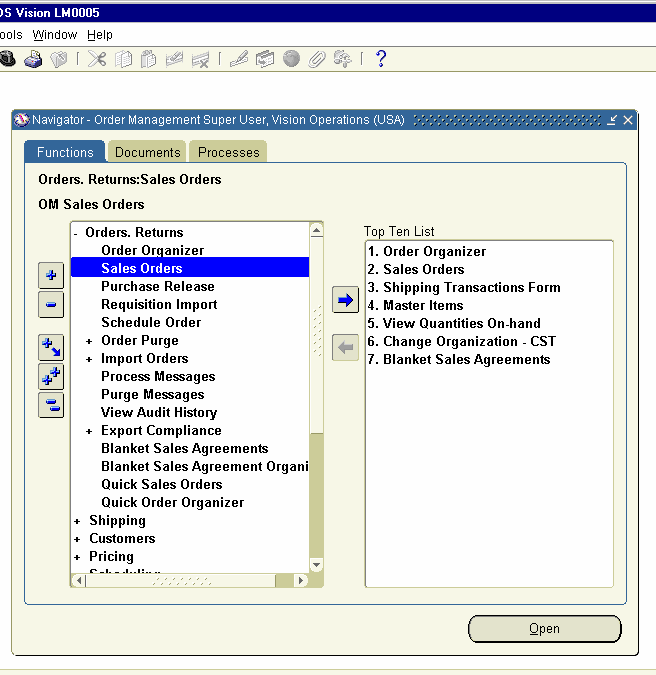
Navigation Path.
Order management Super user Responsibility
Order, Returns     Sales Orders


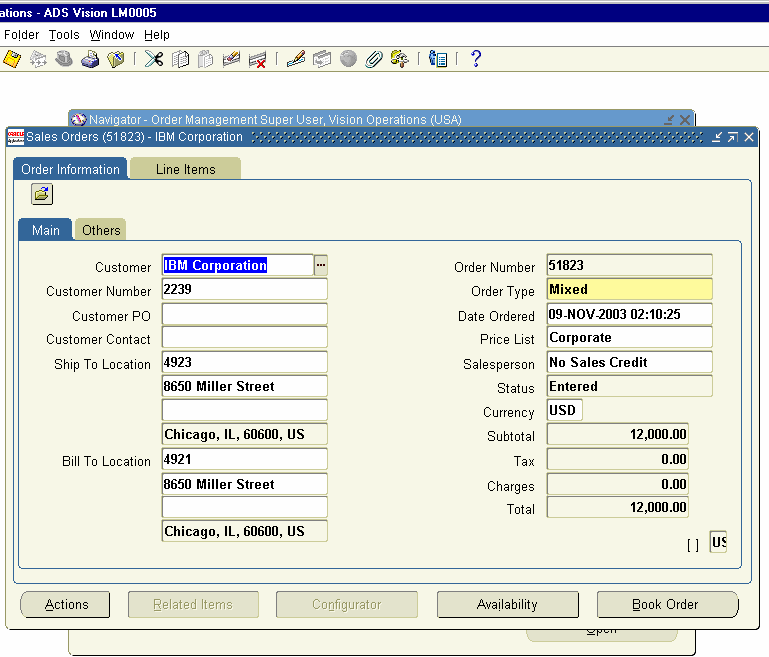
Open the Sales Order form and Query for the Sales order number 51823, which was created earlier.


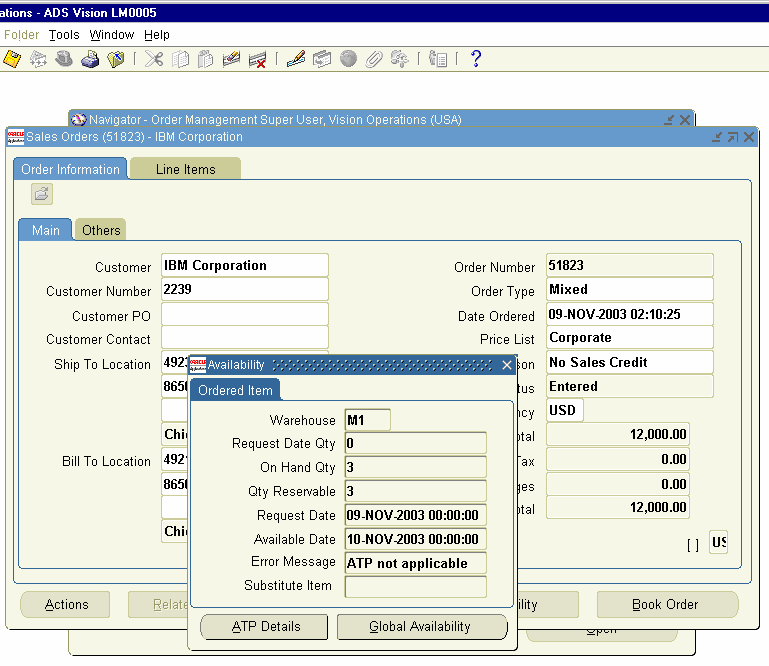
Click on availability button to check the stock for the Item.


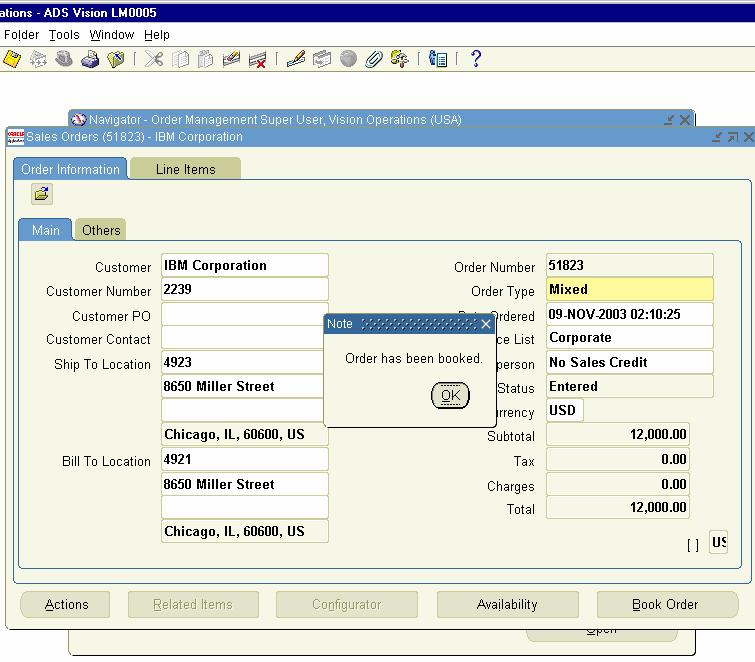
Close the window and book the Sales order now.


Release the Sales order for Shipment of the Item.
 
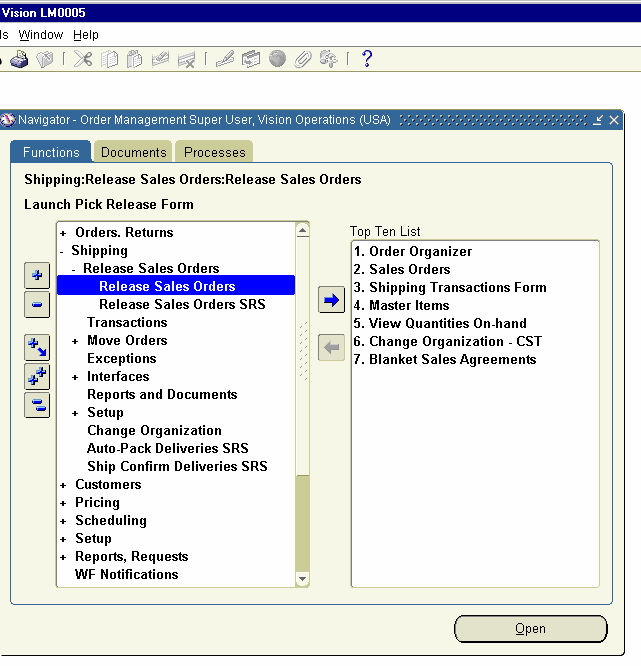
Navigation Path
Order Management Super User Responsibility
Shipping     release Sales orders     Release Sales orders


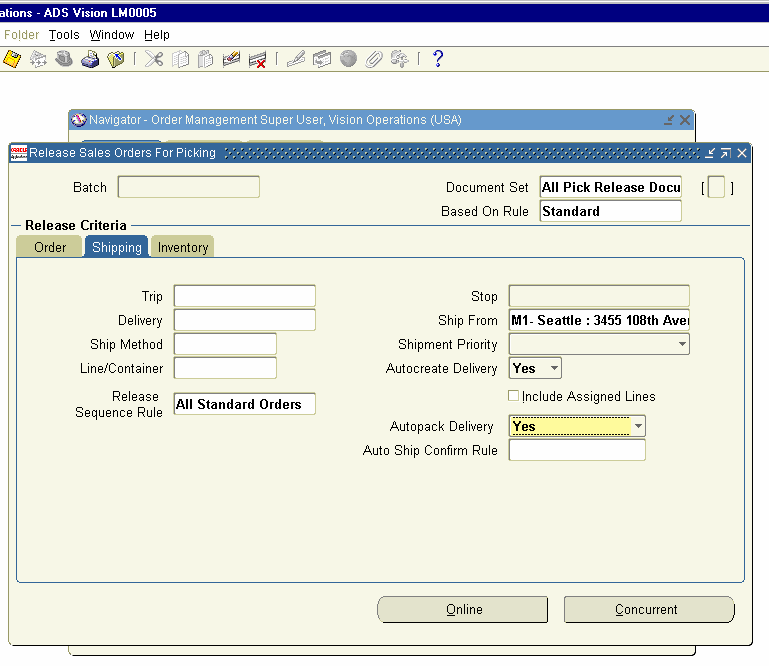
Click on the form and choose the Based on Rule field as ‘Standard’ and enter the Order Number 51823. Click on Shipping tab and check Auto-create Delivery is set to ‘Yes’ and auto-pack delivery also to ‘Yes’. Click on Inventory Tab.


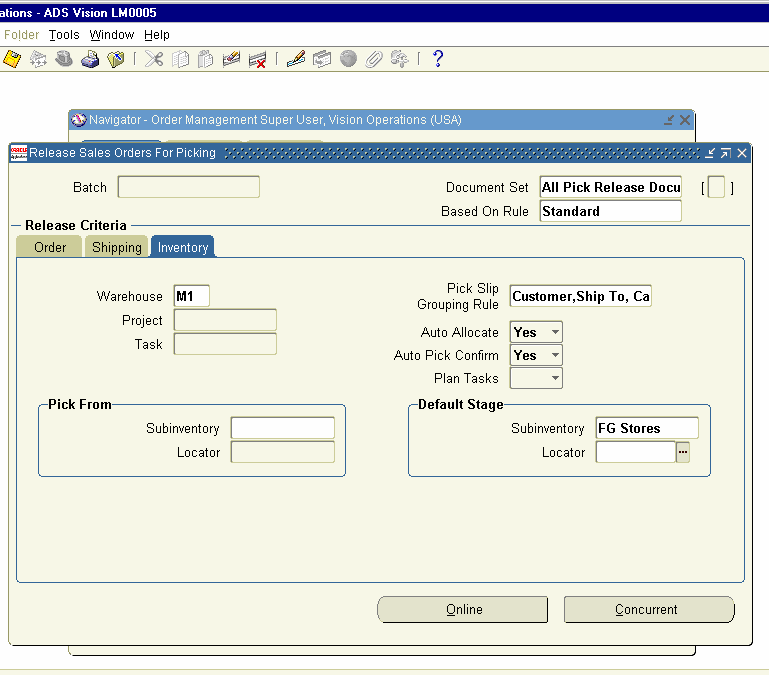
In the Inventory Tab of Release Sales Order for Picking Form, check the Warehouse is showing as Mi- Seattle Manufacturing and Auto-allocate and auto-pick confirm to ‘Yes’. Choose the sub inventory as ‘FG Stores’ in Default Stage area and save the Transaction.


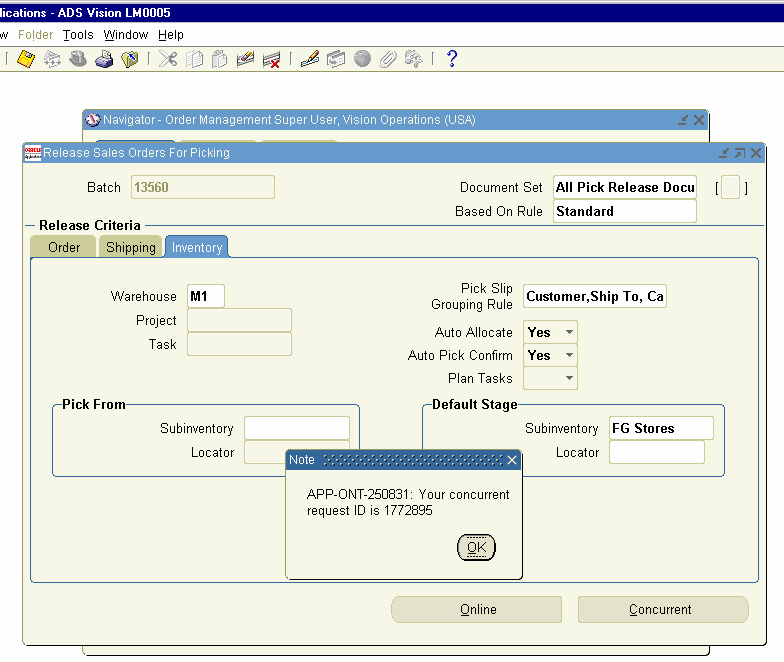
This will generate a concurrent Request.


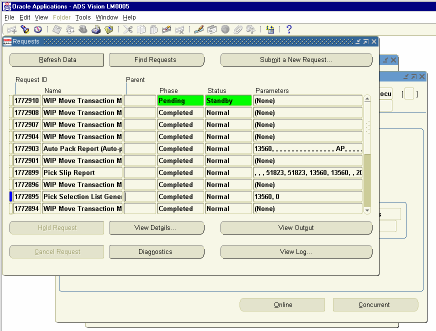
View the concurrent Request 1772895.It is completed Normal.


Next, we have to Ship the Sales Order.

Navigation Path
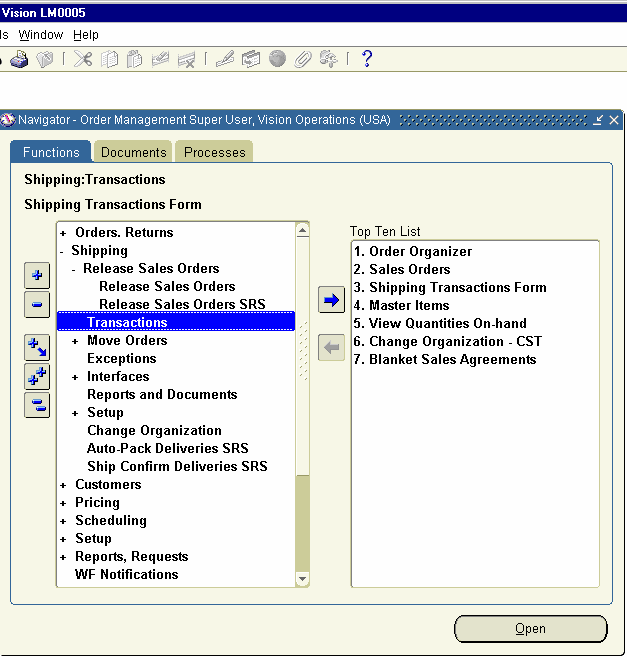
Shipping     Transactions


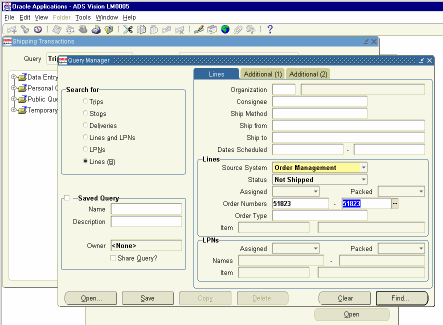
Click on the Form and enter the Sales Order Number 51823 and click on
Find Button


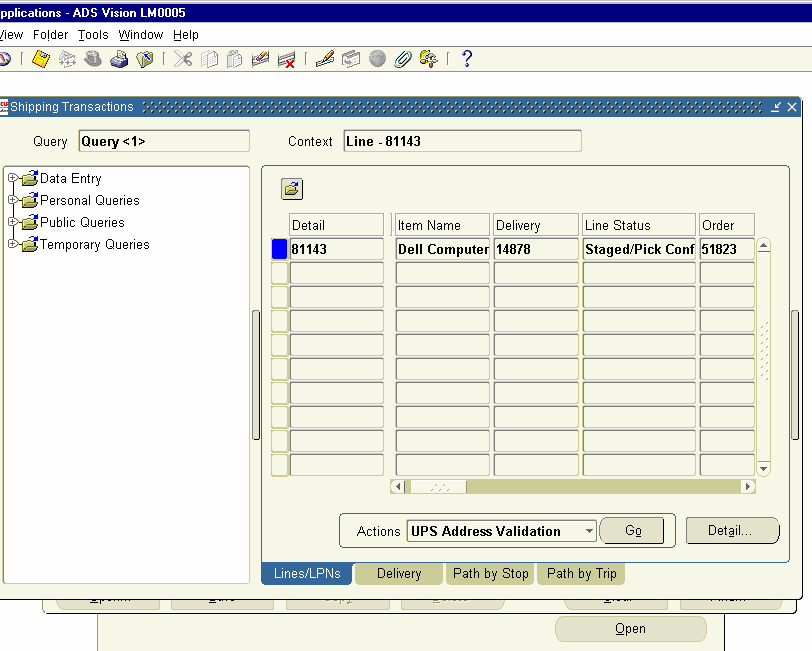
Shipping Transactions Window Opens and the Line Status shows as Stage
/Pick Confirmed for the Sales Order 51823.


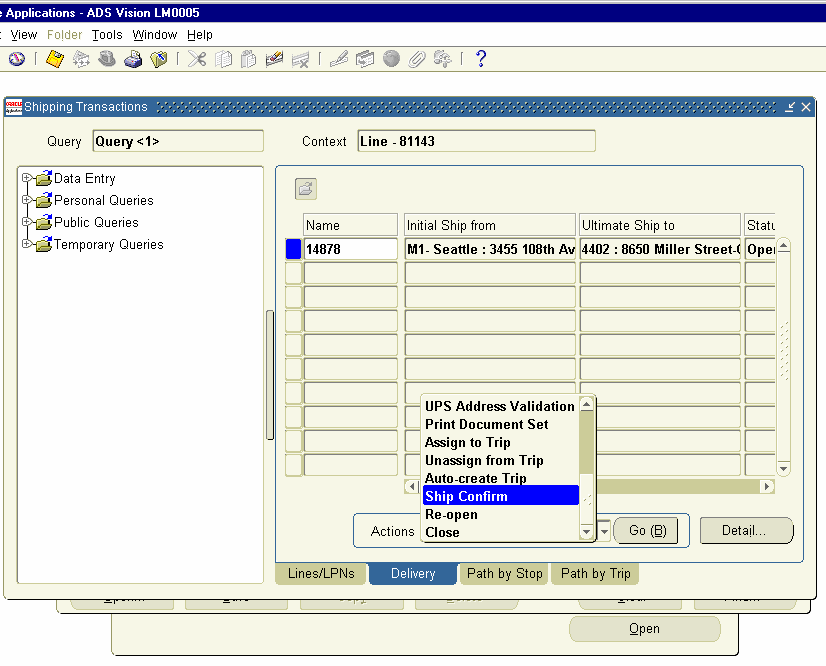
Click on Delivery Tab and choose Ship Confirm from Actions LOV and click Go Button.


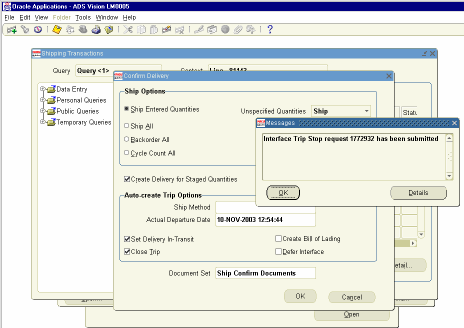
This Opens the Confirm Delivery Screen. Click on OK Button. This will generate a concurrent request. Click OK and view the Concurrent Request
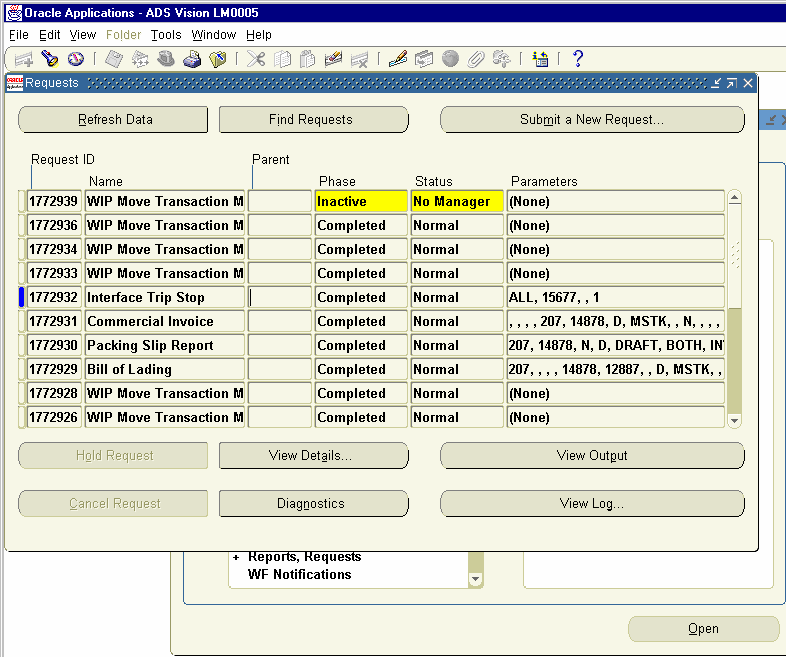
1772932.


View the Concurrent Request 1772932. The Request completed Normal. We can view the Output of the commercial Invoice created in concurrent
Request ID 1772931


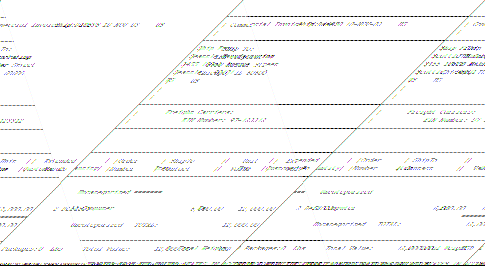
The Output of Commercial Invoice created at Ship Confirm Stage.


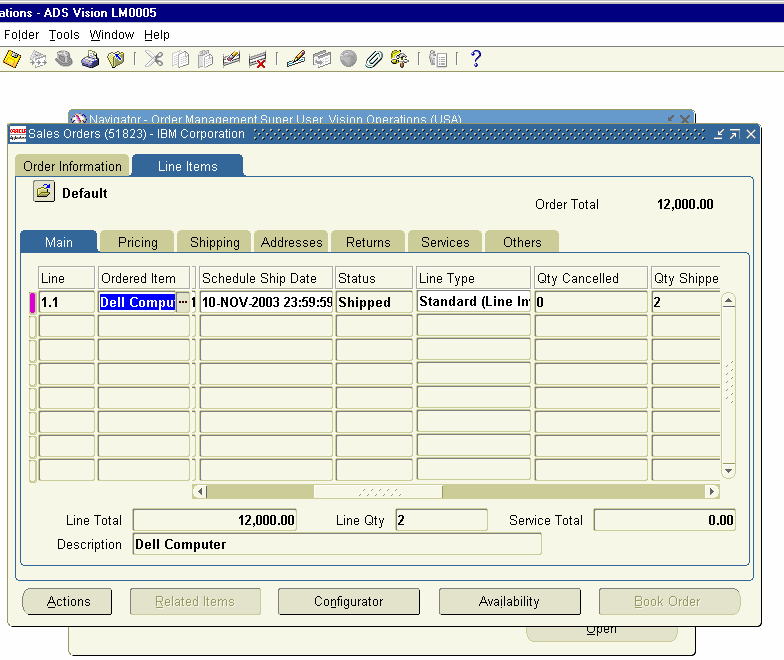
Next we can go and Check the Status of the Sales Order.

Navigation Path.
Order Management Super User
Order, Returns     Sales Order
Query for the Sales Order Number and click on Line Items to view the
Status.


Next, we need to run the Workflow Back ground Process to populate the AR Interface Table.

Navigation Path
Order Management Super User Responsibility. Report and Requests     Run Requests
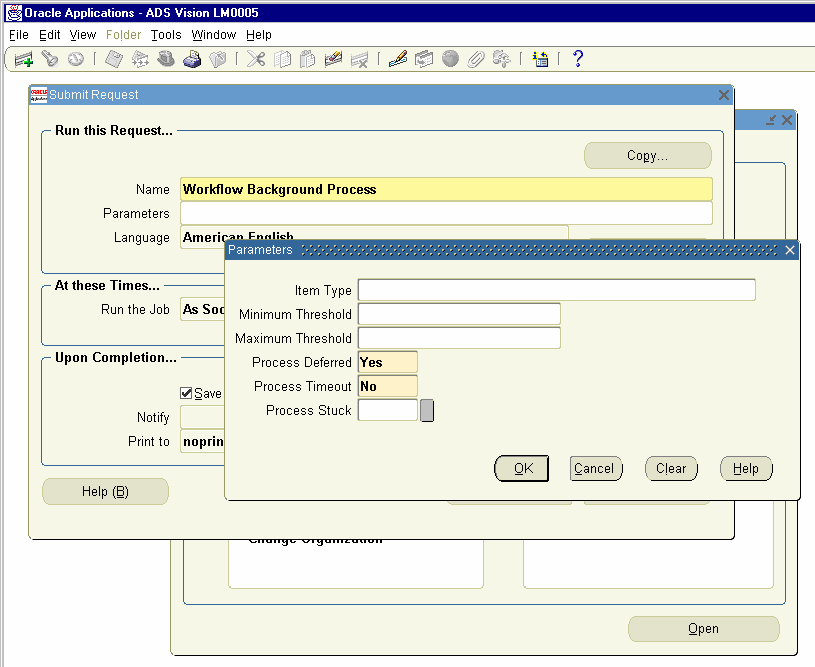
Choose the Concurrent Request Workflow Back ground Process
And Enter the Parameters as follows. Process Deferred set to Yes
Process Timed Out No.
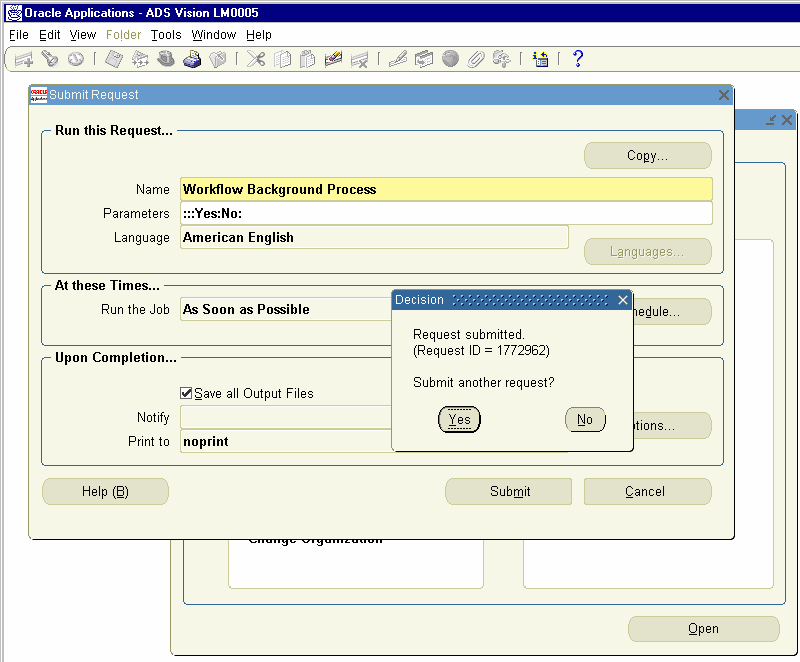
Click on OK and Click Submit Button.This will generate a Concurrent
Request.


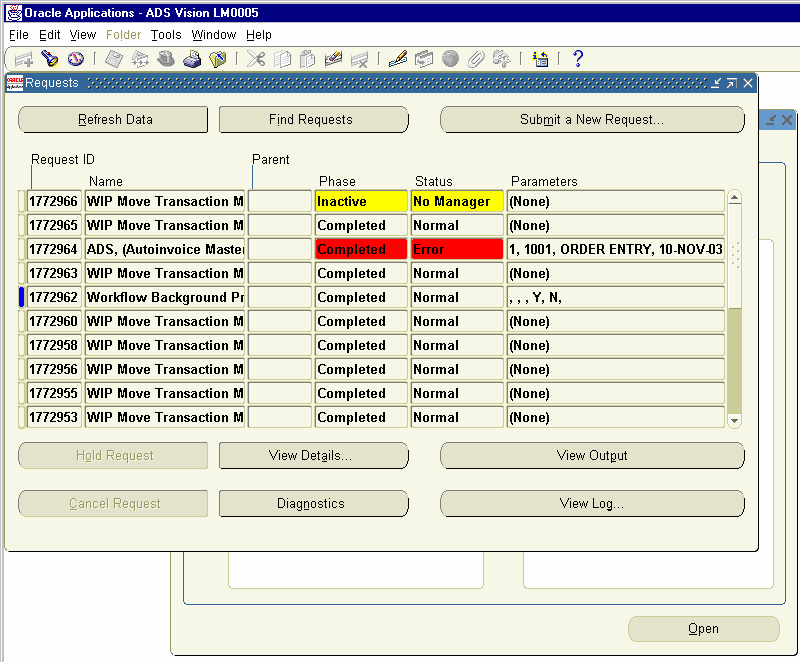
The Concurrent Request ID 1772692 is created.


View the Concurrent request ID 1772692.


22. Run Auto invoice Process

Next, we need to Log on to Accounts Receivables Module to view the Data
Populated in AR Inter face table.

Navigation Path.
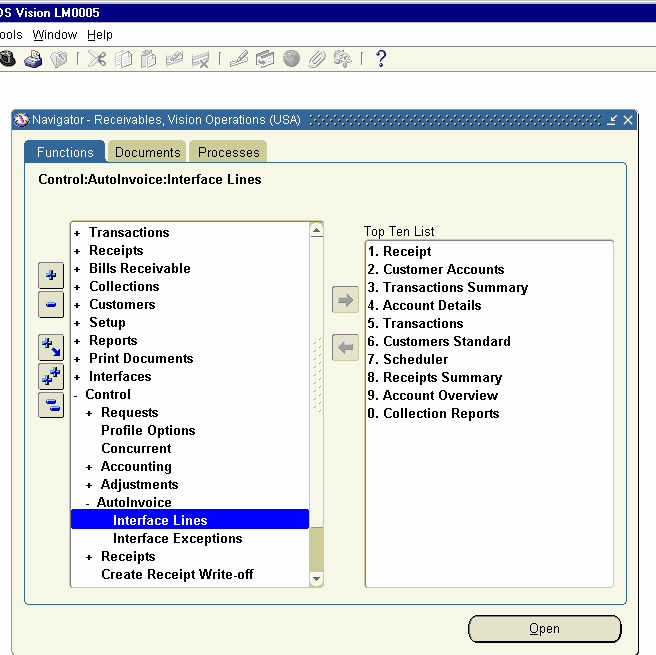
Receivables, Vision Operations
Control     Autoinvoice     Interface Lines


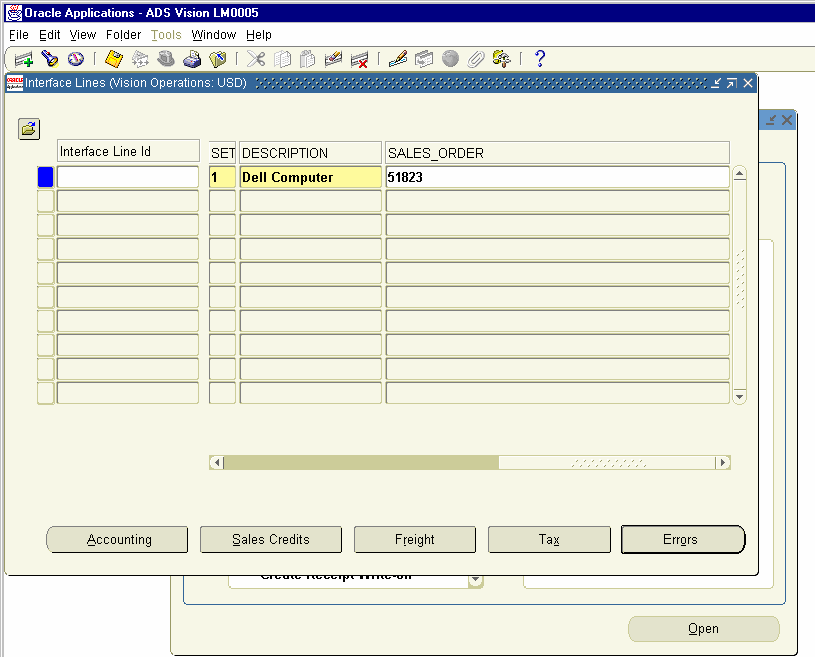
Click on the Interface Lines and Query for the Sales Order Number 51823 in the SALES_ORDER Field. Click on the Errors Button to find any errors is there.


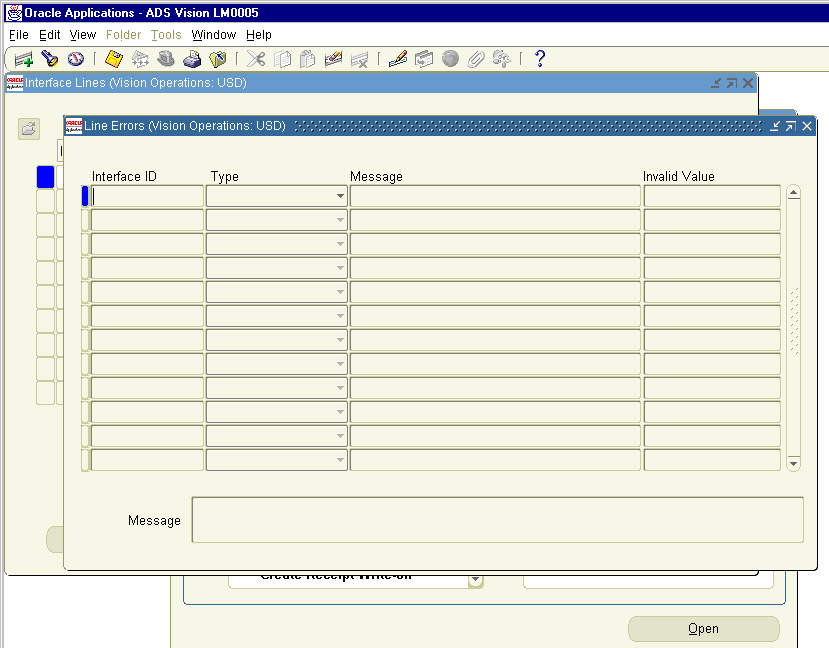
Clicking on Errors screen opens Line Errors Form and nothing is displayed.


Run the Autoinvoice Program now.

Navigation Path.
Receivables, Vision Operations
Controls     Requests     Run
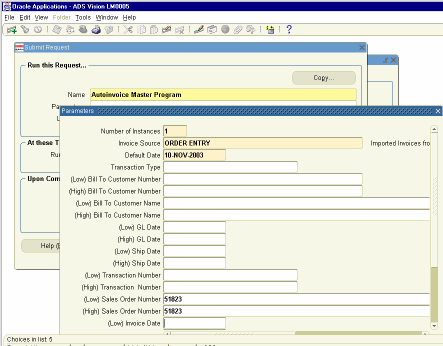
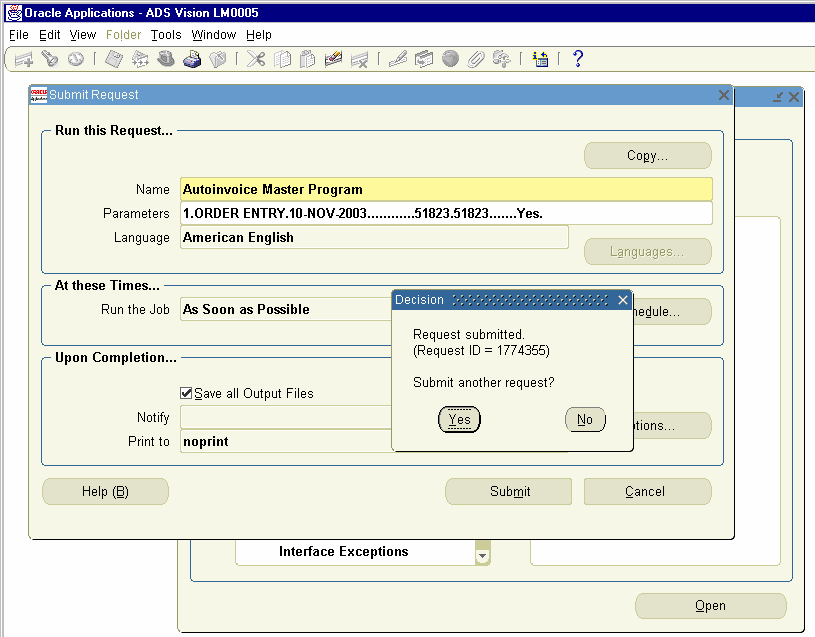
Choose Autoinvoice master program and Pass the Following Parameters.


Invoice Source     Choose from LOV as ORDER ENTRY Default Date     Today’s Date 10 Nov 2003
Sales Order number    Low and High 51823
Based Due Date on Trx Date Set to Yes.
Click Ok Button and Submit Button. This will generate a concurrent request
ID.


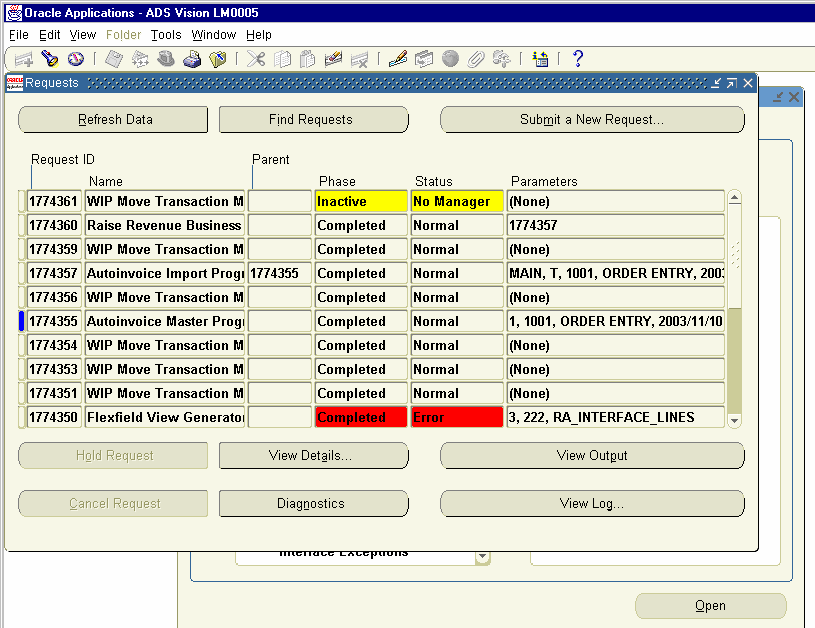
Concurrent Request ID 1774355 is submitted. View the Concurrent Request to see it is completed Normal.


The Concurrent Request ID 1774355 is completed Normal. We can view the Concurrent request ID 1774357 to view the Autoinvoice validation Report to check is the transaction Imported successfully or not.


The Auto-invoice Validation Report completed successfully.


23. View Sales Invoice, Create Receipt, and Remittance and view
Account Balances

We can view the Sales Invoice created in Accounts Receivables Transaction
Form.

Navigation Path.
Receivables, Vision Operations
Transactions     Transactions.
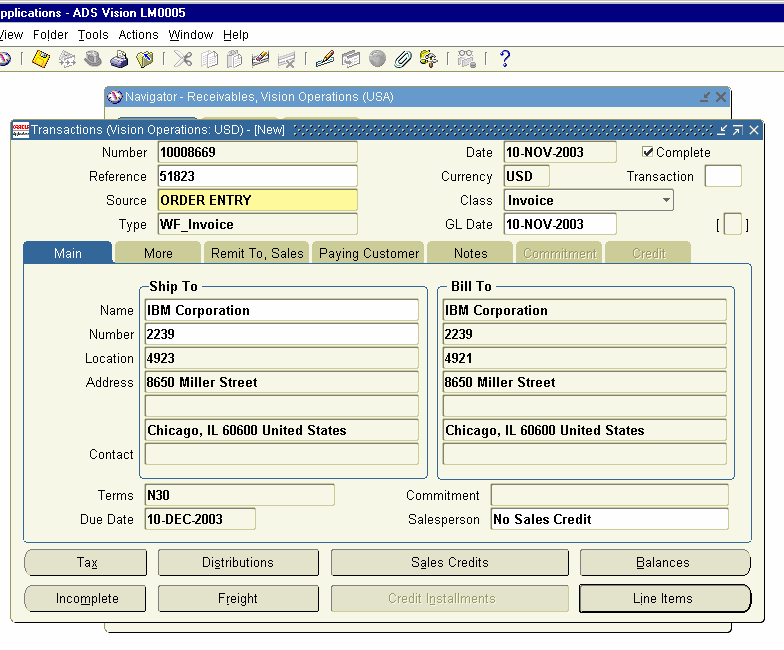
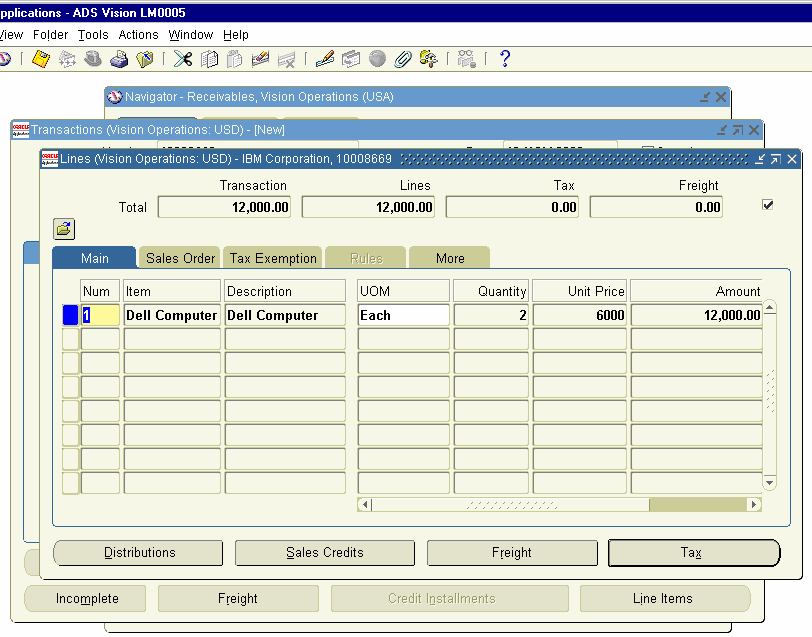
Query for the Sales Order number 51823 by inputting the Value of the Sales order number in the reference field. Sales Invoice 10008669 is created.


Click on Line Items to view the Details of the Lines.
Line Item shows two Quantities of Dell computer finished goods have been sold for USD 6000 each.


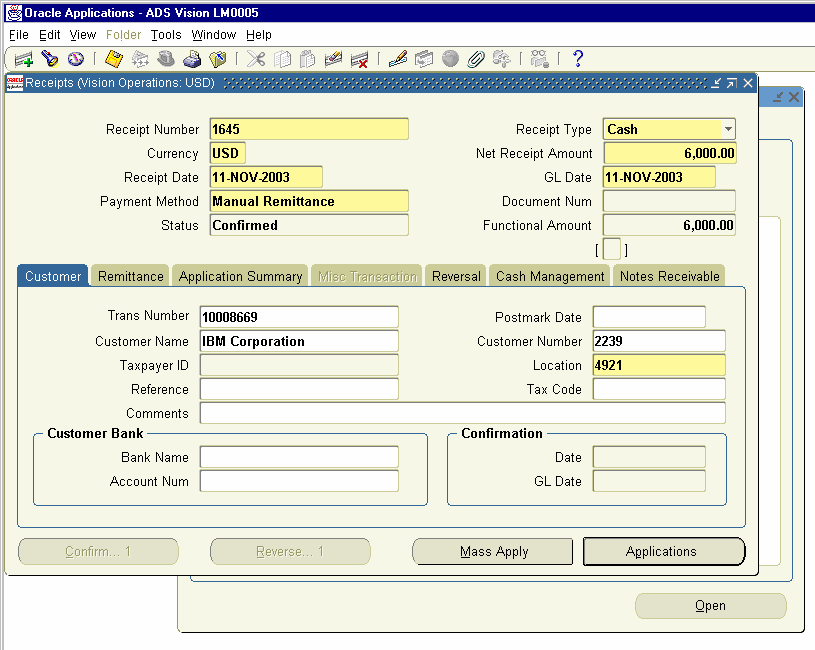
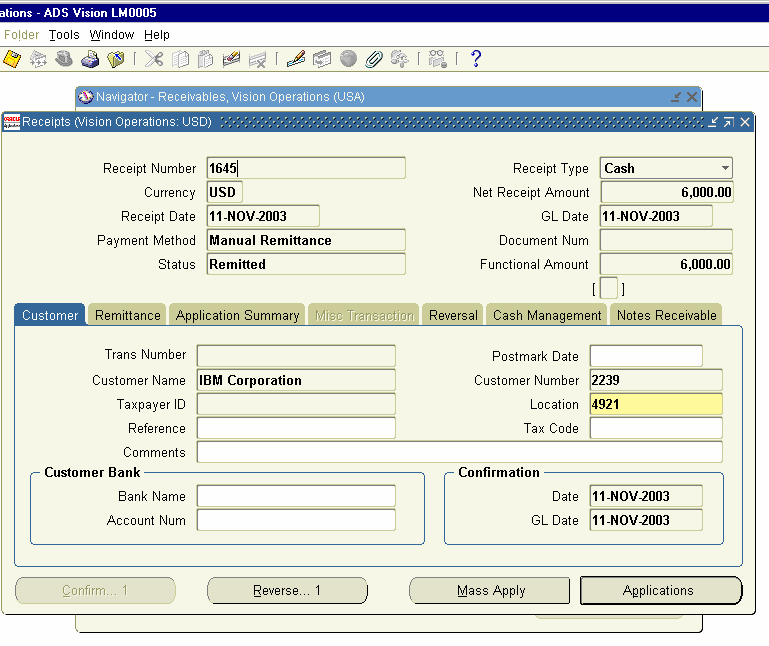
Enter a Receipt number. The Currency field is defaulted is defaulted from Functional currency and the Receipt Date and GL Date are defaulted from System Date and choose the Payment method of Manual Remittance.


Enter in Transaction Number field 10008669, which is the Sales Invoice number against which cash is received and Click on the Applications Button.


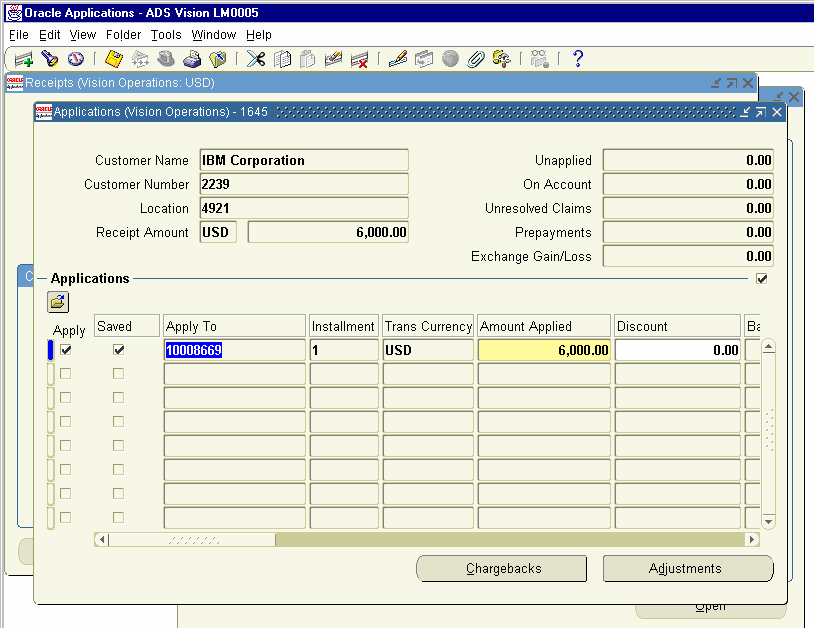
The Applications For opens up and check whether the Apply to field is showing the invoice number 10008669 and amount applied field shows as
6000 USD. Save the Record and close the window.


We can go to Collections Form and view the amount due from the customer.

Navigation Path.
Receivables, Vision Operations
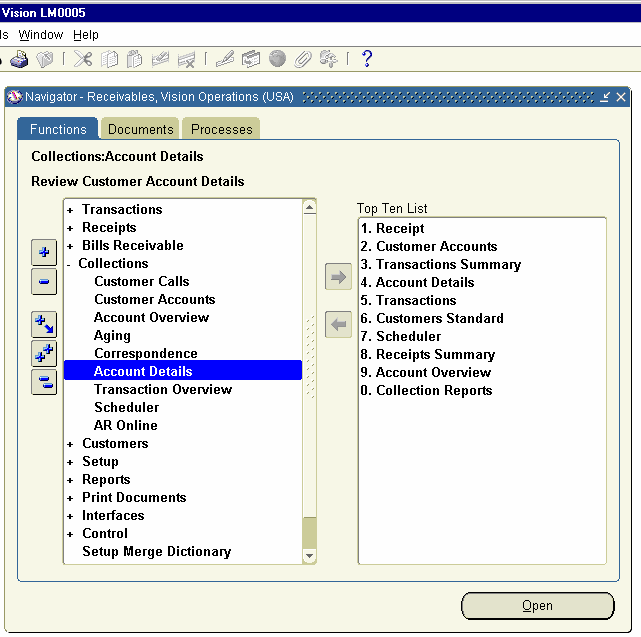
Collections     Account Details


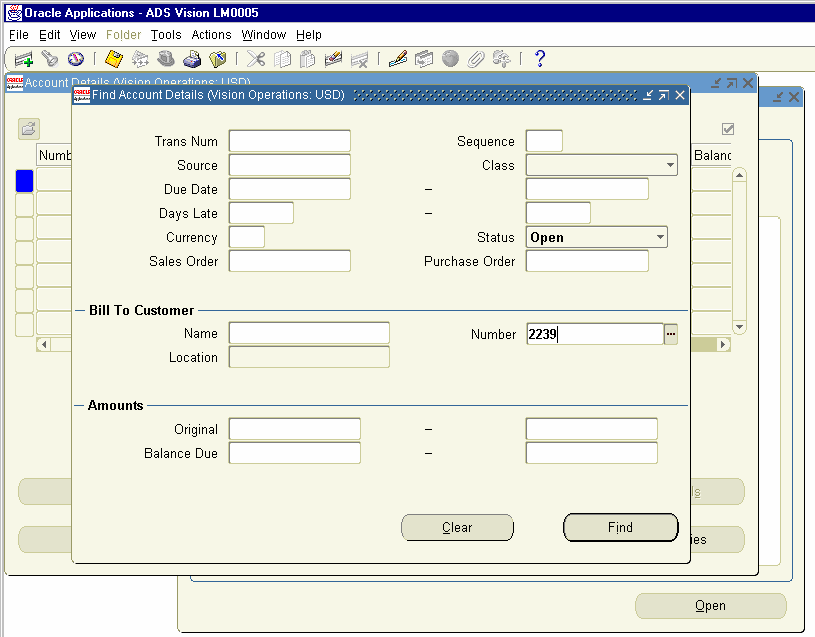
Click on the Account Details form and enter the Customer number 2239 in the number field. Click on the Find Button


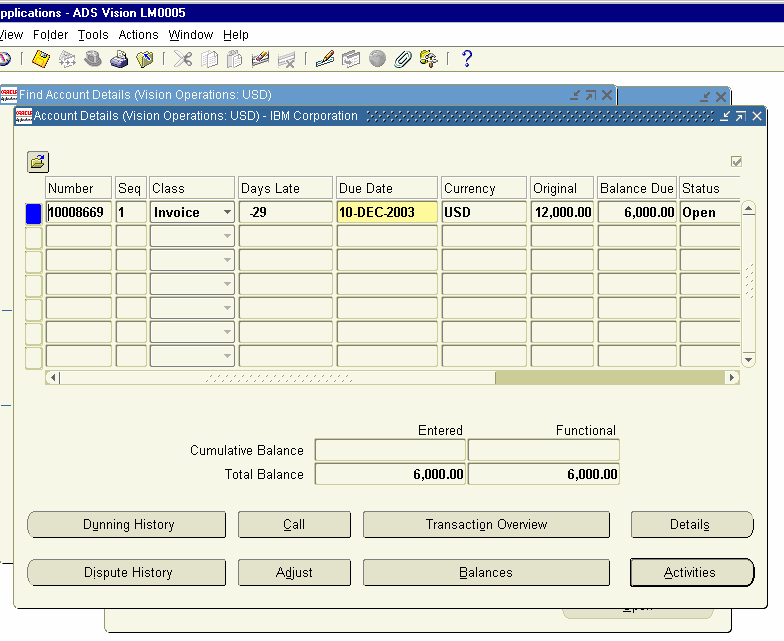
Account details Window opens for the IBM Corporation and shows the
Balance due as 6000 USD.


Invoice Balance – 12000 (Invoice Number 10008669) Receipt                - 6000 (Receipt Number 1645) Balance Due form the Customer is 6000 USD.


Next, we have to remit the check we have received from IBM Corporation

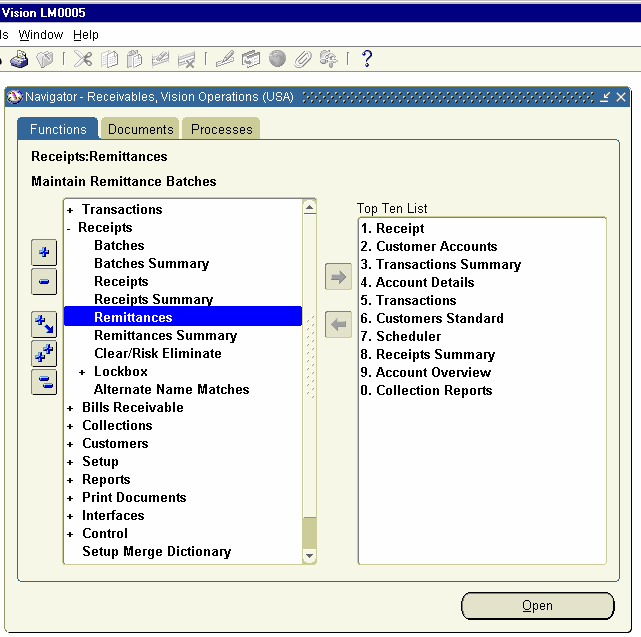
Navigation Path
Receivables, Vision Operations
Receipts     Remittance


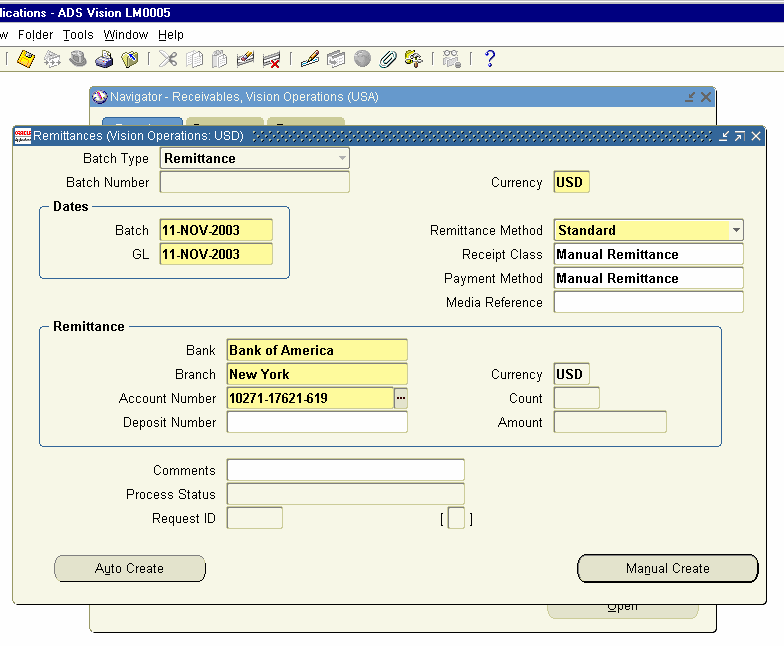
Click on the Remittances Form and enter the following details

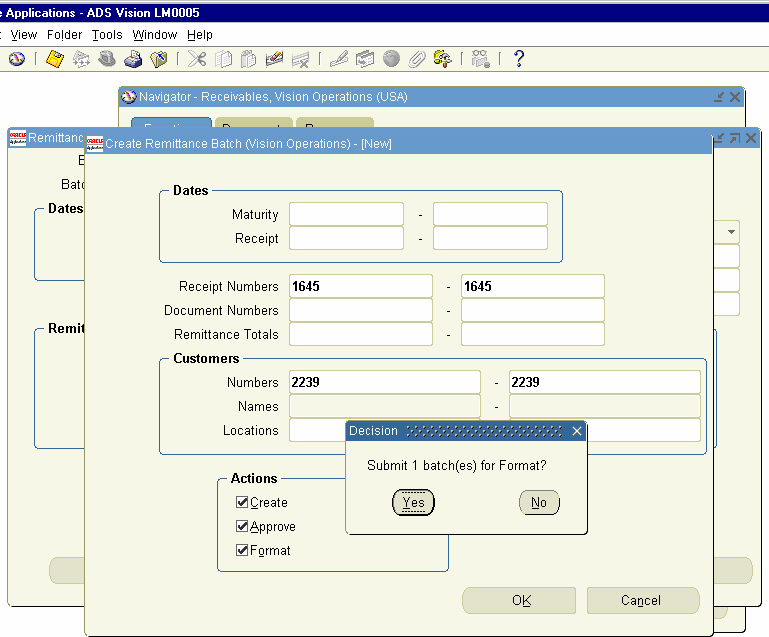
Remittances Form opens and Currency, Batch Date, GL Date and Remittance method defaults. Enter the Payment method Manual Remittance and choose the Bank Account Number from the List of Values. Click on Auto Create Button


Create Remittance Batch Window Opens and enter the Receipt Number
1645 and the Customer Number 2239 and enable the Create, Approve and
Format check box. Click on OK Button and a message pops up Submit 1
Batches for Format. Click on Yes Button.


This Generates a Concurrent request and generates the Automatic
Remittances Execution Report.


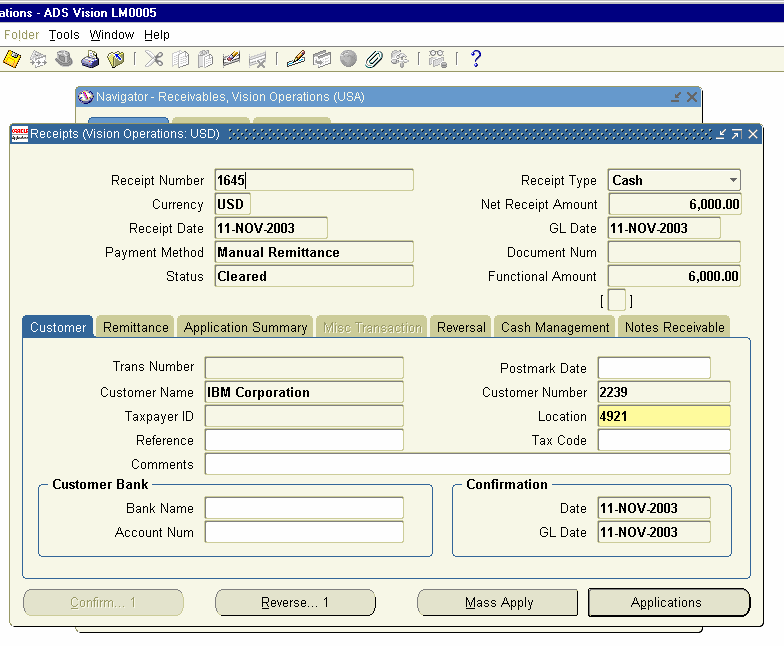
Now, You go to Receipts screen and Query for the Receipt Number 1645, the status of the Receipt might have changed from Confirmed to remitted.

Navigation Path
Receivables, Vision Operations
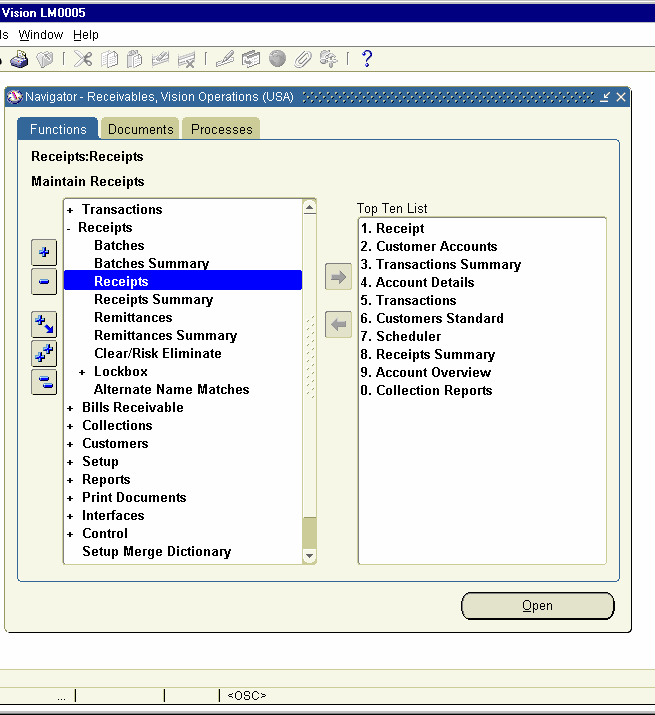
Receipts     Receipts
Query for Receipt number 1645


24. Receipt Reconciliation

Next, we need to clear the Receipt in Cash Management.

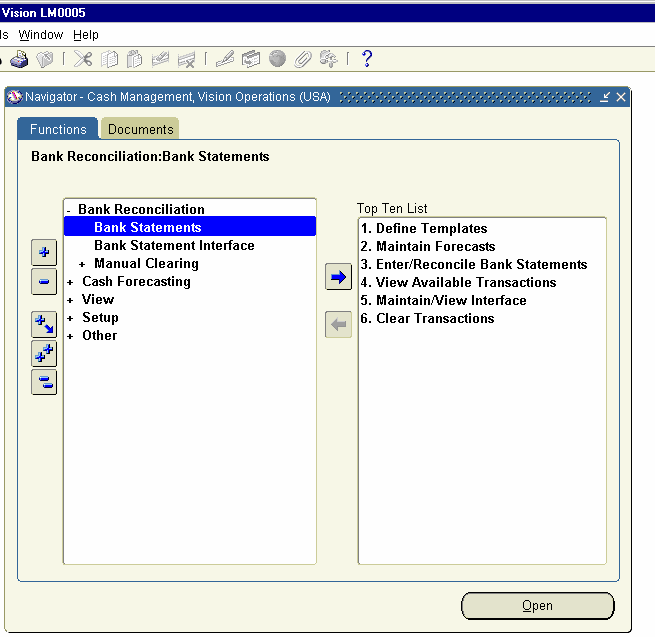
Navigation Path
Cash Management, Vision Operations
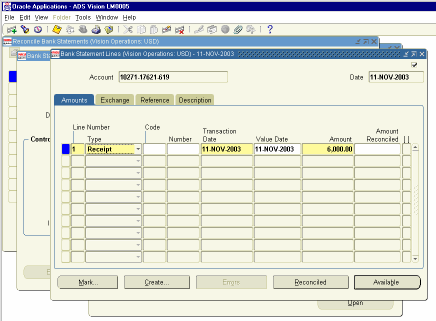
Bank Reconciliation     Bank Statements


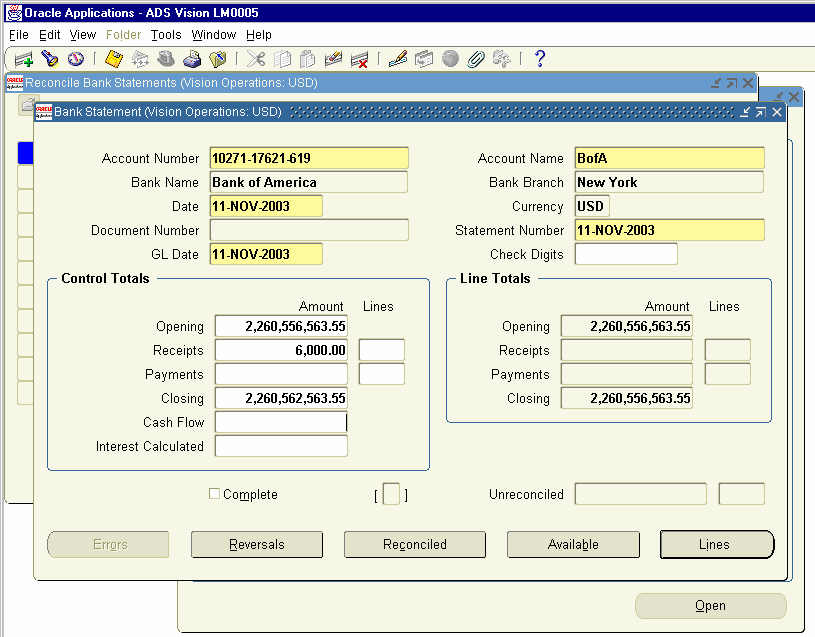
Click on the Form and Click on New Button. Enter the Account Number and
Date. Enter Receipts as 6000 in Control Totals. Click on the Lines Button.


Click on New Button. Bank Statement Line Window Opens up. Enter the
Line Number 1 and choose the Type as Receipt and Enter the amount as
6000 and save the record. Close the Window.


Next Step is to choose the Receipt advice and reconcile with the Bank
Statement we created.

Navigation Path
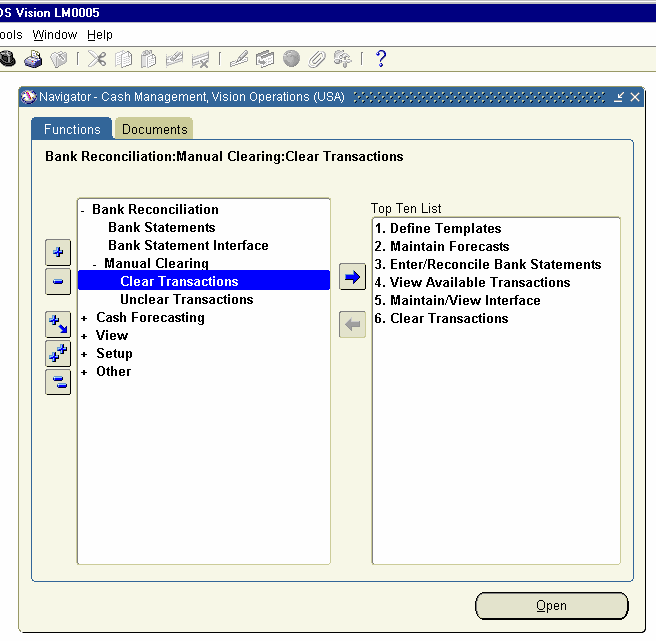
Cash Management, Vision Operations
Bank Reconciliation     Manual Clearing     Clear Transactions


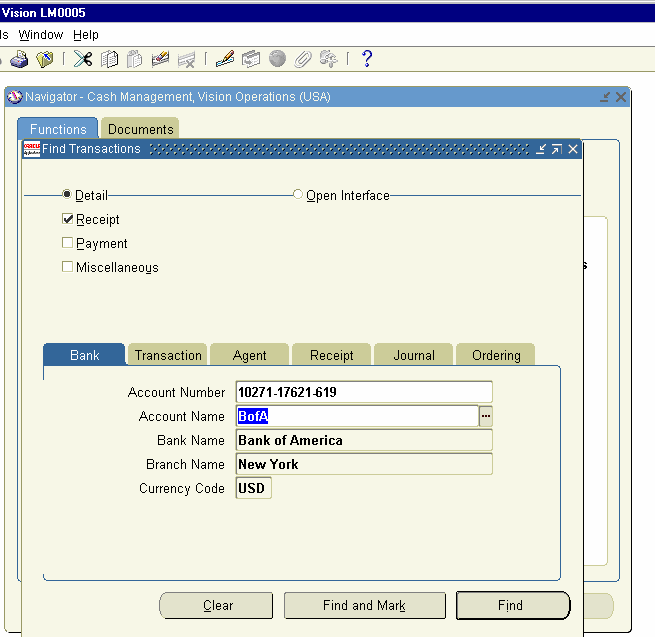
Click on the Clear Transactions form and enter the following.

Find Transactions Window opens up and the radio button detail is enabled and uncheck the Payment and Miscellaneous check box. Click on the Find Button.


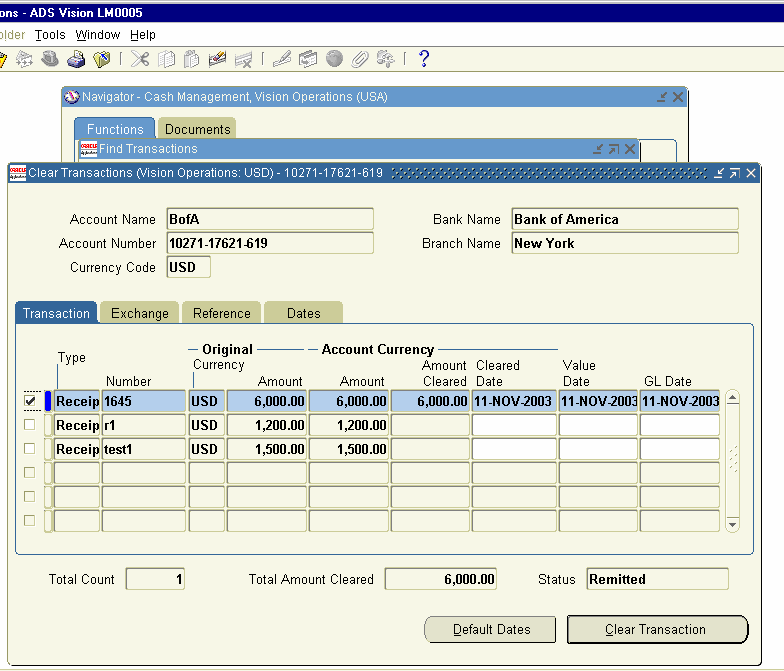
Clear transactions Form opens up and enable the check box on left-hand side for the receipt number 1645 and click on clear Transaction. This will clear the Transaction and reconcile the Transactions with the bank Statement.


Now, Log on to receivables Responsibility and check the status of the
Receipt 1645. This will have the Status of cleared.
 
Navigation Path
Receivables, Vision Operations
Receipts     Receipts
Query for Receipt Number 1645


The above full cycle shows the complete steps involved in Make to Stock
Cycle.